Match.com is beta-testing a new version of Match Mobile. http://www.match.com/mobile/alerts.aspxIf you see this link on your Match member home page, you are part of the 50% of all Match users that are currently in the beta program.

Here’s the first page.
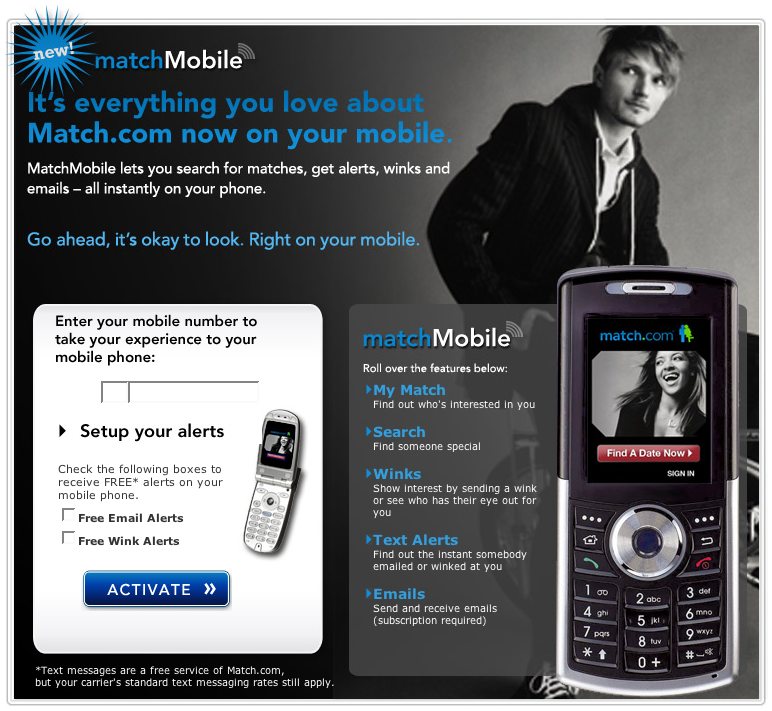
Features
My Match: Find out who’s interested in you.
Search: Find Someone special.
Winks: Show interest by sending a wink or see who has their eye out for you.
Text Alerts: Find out the instant somebody emailed or winked at you.
Emails: Send and receive emails (subscription required.)
Email and wink alerts are free. Accessing the Match double-blind email system is $4.99/month.
*Text messages are a free service of Match.com, but your carrier’s standard text messaging rates still apply.
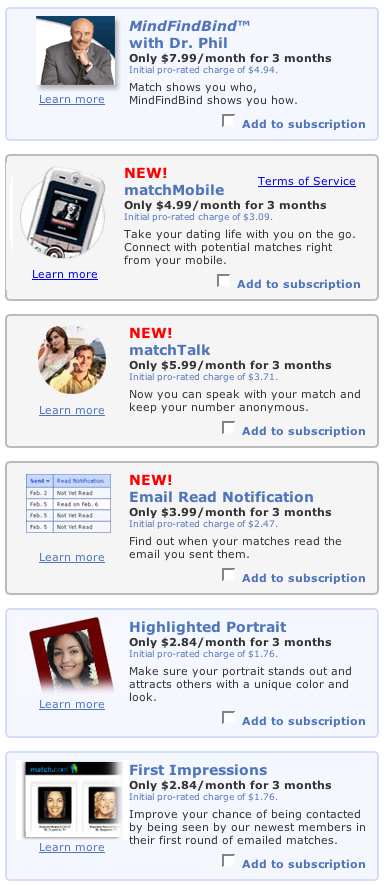
I entered in my mobile number, and passed on the pletheora of add-ons.
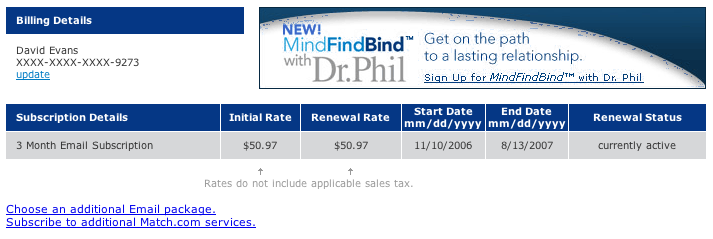
I was then sent to the subscription status page. This was confusing, because it says I have a 3 month email subscription but the cost is $50.97 and the duration is nine months.
While I was trying to figure that out my mobile beeped with a message from Match. After the usual welcome message is said that to disable alerts, reply STOP to this message. That was strange. Why would I stop if I just signed up?
I ask myself, how would I stop the alerts from your phone from the website. Of course, the Email and Phone Contact Options in Account Settings. Click, no go. There are preferences for having a concierge call, that’s it (has anyone received one of these calls?) Unless I am staring right past it, there is no way to turn on/off winks and email alerts from your phone or the Match.com the website.